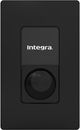
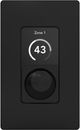
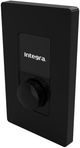
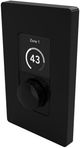
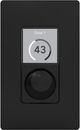
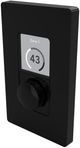
General Specs |
| Color | Black |
| Color-Finish Name | Black |
| Touchscreen | No |
| Smart Compatible | No |
| Width (in.) | 2.72 |
| Depth (in.) | 1.68 |
| Height (in.) | 4.53 |
| Product Weight (lbs.) | 0.26 |
| Manufacturer Warranty | 2 Year Parts & Labor |
| Compatible Model Sku | 8500DSP, 8125DSP, 4500DSP, 4125DSP |
Technical Specifications |
| Operating Temperature Range | 0-40°C (32-104°F) |
| Display Screen Dimension (excluding black border) | 27.72mm x 27.72mm |
| Display Screen Area (excluding black border) | 768.4sqmm |
| Display Screen Resolution | 240 x 240 pixels |
| Display Screen Type | RGB, Transmissive / Normally Black |
| Display Screen Material | High gloss polished transparent acrylic |
| Exterior & Mechanical Parts Material | Plastic (ABS-PC) |
| Base Construction & Shield Material | Pre-galvanized steel |
| Power Consumption | PoE Class 1 / 3.84 Wmax |
| Power Supply | Power to the RJ45 Ethernet port on the rear of device using a category 5e cable (or faster STP) with the use of a standard PoE switch, or PoE injector |
| Standby Modes | 6 settings available: 30 secs, 2 mins, 5 mins, 15 mins, 30 mins, 60 mins |
| Connection & Data Protocol | RJ45, proprietary over CAT 5e (or faster STP) |
| Maximum Cable Length (CAT 5e) | 100m (328ft) |
| IP Rating | IP 30 |